> For the complete documentation index, see [llms.txt](https://themessupport.gitbook.io/lollipop-theme/llms.txt). Markdown versions of documentation pages are available by appending `.md` to page URLs; this page is available as [Markdown](https://themessupport.gitbook.io/lollipop-theme/header/header.md).
# Header
Displays your store logo, navigation, icons, and optional promotional banners.
## How to access
1. **Go to** Shopify Admin → Online Store → Themes.
2. **Click** Customize on your active theme.
3. Open the **Header** group in the sidebar and select **Header**.
## Section Settings
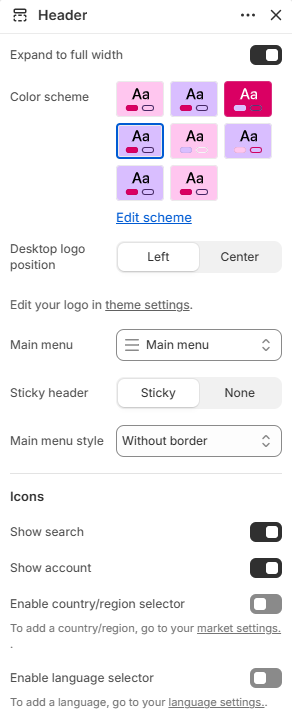
| Setting | Description |
| ------------------------------ | --------------------------------------------------------------------- |
| Expand to full width | Extends the header to the full browser width. |
| Color scheme | Sets the background and text colors. |
| Desktop logo position | Sets the logo position on desktop. Choose from Left or Center. |
| Main menu | Selects the navigation menu displayed in the header. |
| Sticky header | Keeps the header visible while scrolling. Choose from Sticky or None. |
| Main menu style | Sets the appearance of the navigation menu. |
| Icons | |
| Show search | Displays the search icon. |
| Show account | Displays the customer account icon. |
| Enable country/region selector | Displays the country or region selector. |
| Enable language selector | Displays the language selector. |
## Blocks
Add blocks to this section in the theme editor. Each block is a separate item you can add, remove, and reorder.
### Promo banner
Displays promotional banners inside the selected mega menu.
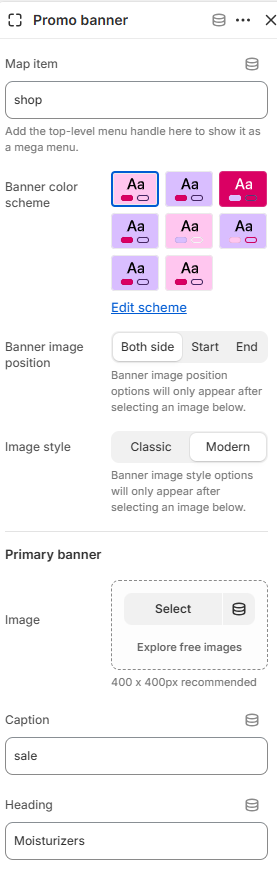
| Setting | Description |
| --------------------- | -------------------------------------------------------------------------------------------------------------- |
| Map item | Selects the top-level menu item where the promotional banners are displayed. |
| Banner color scheme | Sets the banner background and text colors. |
| Banner image position | Sets the image position. Choose from Both side, Start, or End. This option appears after an image is selected. |
| Image style | Sets the banner image style. Choose from Classic or Modern. This option appears after an image is selected. |
| Primary banner | |
| Image | Selects the primary banner image. |
| Caption | Adds a caption above the heading. |
| Heading | Sets the primary banner heading. |
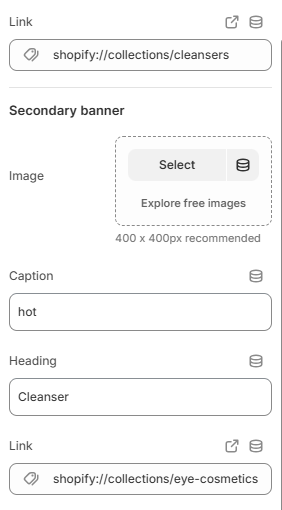
| Link | Selects the page or URL for the primary banner image. |
| Secondary banner | |
| Image | Selects the secondary banner image. |
| Caption | Adds a caption above the heading. |
| Heading | Sets the secondary banner heading. |
| Link | Selects the page or URL for the secondary banner image. |
### Menu with banner
Displays image banners for a selected top-level mega menu item.
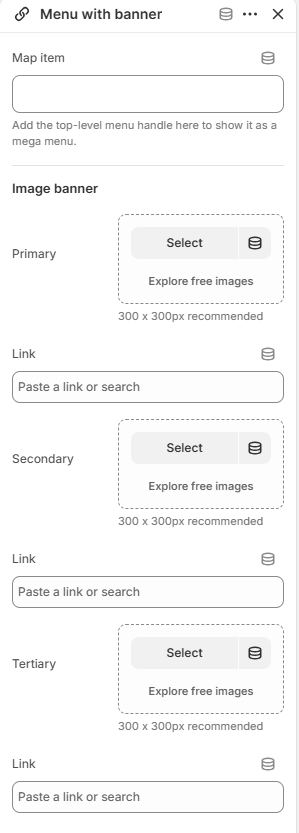
| Setting | Description |
| ----------------- | ---------------------------------------------------------- |
| Map item | Selects the top-level menu item to display as a mega menu. |
| Image banner | |
| Primary (Image) | Selects the primary banner image. |
| Link | Selects the page or URL for the primary banner image. |
| Secondary (Image) | Selects the secondary banner image. |
| Link | Selects the page or URL for the secondary banner image. |
| Tertiary (Image) | Selects the tertiary banner image. |
| Link | Selects the page or URL for the tertiary banner image. |