> For the complete documentation index, see [llms.txt](https://themessupport.gitbook.io/lollipop-theme/llms.txt). Markdown versions of documentation pages are available by appending `.md` to page URLs; this page is available as [Markdown](https://themessupport.gitbook.io/lollipop-theme/inner-pages/blog.md).
# Blog
Display a list of blog posts from the selected blog with customizable layout and card settings.
## How to access
1. **Go to** Shopify Admin → Online Store → Themes.
2. **Click** Customize on your active theme.
3. From the top dropdown, select **Blogs → Default blog**.
4. Select **Blog** from the left sidebar.
## Section Settings
### Layout
| Setting | Description |
| ------------------------- | ---------------------------------------------------------------------------------------------------------------------- |
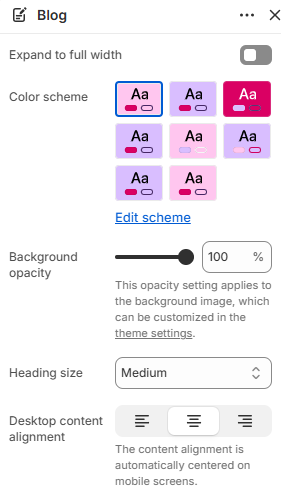
| Expand to full width | Extends the section to the full browser width. |
| Color scheme | Sets the background and text colors. |
| Background opacity | Controls the background opacity. |
| Heading size | Size of the section heading: Small, Medium, or Large. |
| Desktop content alignment | Alignment of the section content on desktop: Left, Center, or Right. On mobile, the content is automatically centered. |
### Blog post card
| Setting | Description |
| ----------------------- | ----------------------------------------------------------- |
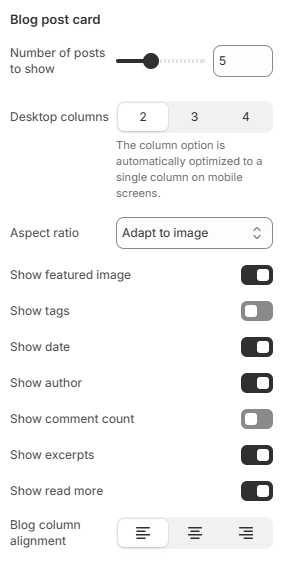
| Number of posts to show | Sets the maximum number of blog posts displayed. |
| Desktop columns | Number of columns on desktop: 2, 3, or 4. |
| Aspect ratio | Sets the featured image aspect ratio. |
| Show featured image | Displays the featured image for each blog post. |
| Show tags | Displays the blog tags. |
| Show date | Displays the publishing date. |
| Show author | Displays the author name. |
| Show comment count | Displays the number of comments. |
| Show excerpts | Displays the blog excerpt. |
| Show read more | Displays the Read more link. |
| Blog column alignment | Alignment of the blog card content: Left, Center, or Right. |
### Section padding
| Setting | Description |
| ----------- | ------------------------ |
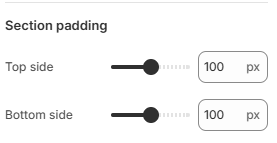
| Top side | Space above the section. |
| Bottom side | Space below the section. |