> For the complete documentation index, see [llms.txt](https://themessupport.gitbook.io/lollipop-theme/llms.txt). Markdown versions of documentation pages are available by appending `.md` to page URLs; this page is available as [Markdown](https://themessupport.gitbook.io/lollipop-theme/sections/testimonials.md).
# Testimonials
Display customer testimonials in a responsive grid or carousel to showcase customer feedback and build trust.
## How to access
1. **Go to** Shopify Admin → Online Store → Themes.
2. **Click** Customize on your active theme.
3. Click **Add section** and choose **Testimonial**.
## Section Settings
| Setting | Description |
| -------------------------- | ------------------------------------------------------------------------------------------------------------------------------------------- |
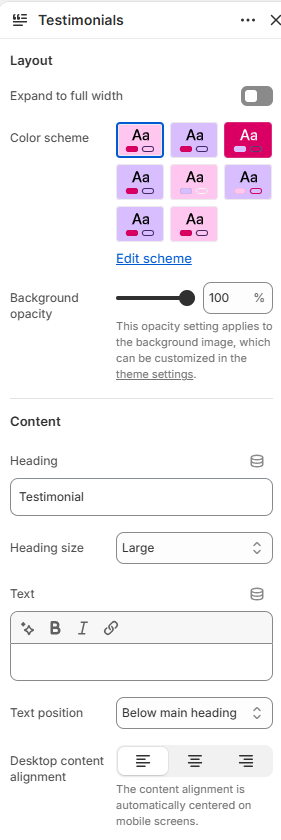
| Layout | |
| Expand to full width | Extends the section to the full browser width. |
| Color scheme | Sets the background and text colors. |
| Background opacity | Controls the background opacity. |
| Content | |
| Heading | Sets the section heading. |
| Heading size | Controls the size of the heading. Choose from Small, Medium, or Large. |
| Text | Adds supporting text to the section. |
| Text position | Shows the text above or below the heading. |
| Desktop content alignment | Aligns the section content on desktop. Choose from Left, Center, or Right. On mobile, the content is automatically centered. |
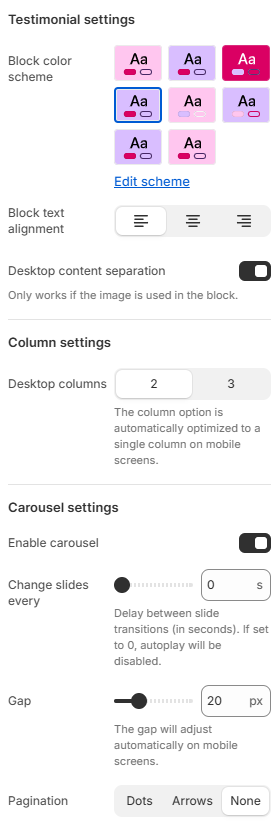
| Testimonial settings | |
| Block color scheme | Sets the background and text colors for the testimonial blocks. |
| Block text alignment | Aligns the content inside the testimonial blocks. Choose from Left, Center, or Right. |
| Desktop content separation | Adds spacing between the image and content on desktop. |
| Column settings | |
| Desktop columns | Sets the number of columns displayed on desktop. Choose from 2 or 3. |
| Carousel settings | |
| Enable carousel | Displays the testimonials in a carousel. |
| Change slides every | Automatically changes slides after the selected number of seconds. Set to 0 to disable autoplay. |
| Gap | Controls the spacing between testimonial blocks. |
| Pagination | Sets the carousel navigation. Choose from Dots, Arrows, or None. |
| Pagination style | Sets the pagination style. Choose from Classic or Modern. |
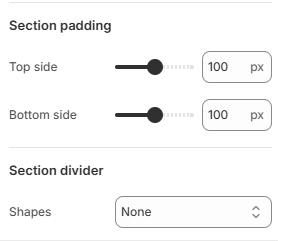
| Section padding | |
| Top side | Space above the section. |
| Bottom side | Space below the section. |
| Section divider | |
| Shapes | Adds a decorative divider to the section. Choose from Curve top, Curve bottom, Curve both, None, Border top, Border bottom, or Both border. |
## Blocks
Add blocks to this section in the theme editor. Each block is a separate item you can add, remove, and reorder.
### Testimonial text
Displays an individual customer testimonial.
| Setting | Description |
| -------------- | ---------------------------------------------------------------------- |
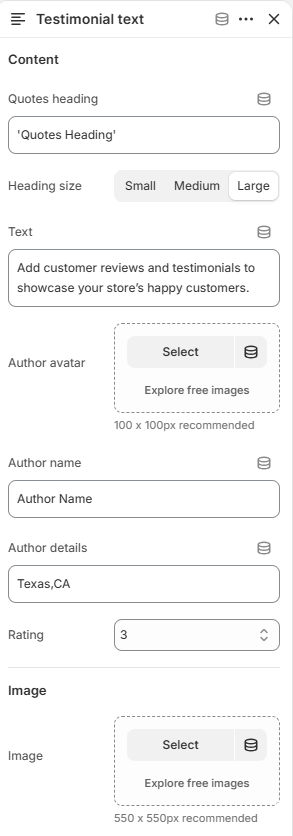
| Content | |
| Quotes heading | Sets the testimonial heading. |
| Heading size | Controls the size of the heading. Choose from Small, Medium, or Large. |
| Text | Adds the testimonial content. |
| Author avatar | Selects the author's image. |
| Author name | Sets the author's name. |
| Author details | Adds additional information about the author. |
| Rating | Sets the customer rating from 1 to 5. |
| Image | |
| Image | Selects an image for the testimonial card. |